Journey Builder
How-to guide
California Road Trip Pacific Coast Highway: A Day-by-Day Guide
Planning a California road trip Pacific Coast Highway style? Here's how to pick your stops, pace your days, and build a route that actually works.
Plan your trip
Journey Builder works out the route, finds the stops worth making and lays out every day.
Pre-registerSee how it worksWhy This Drive Still Tops Every List
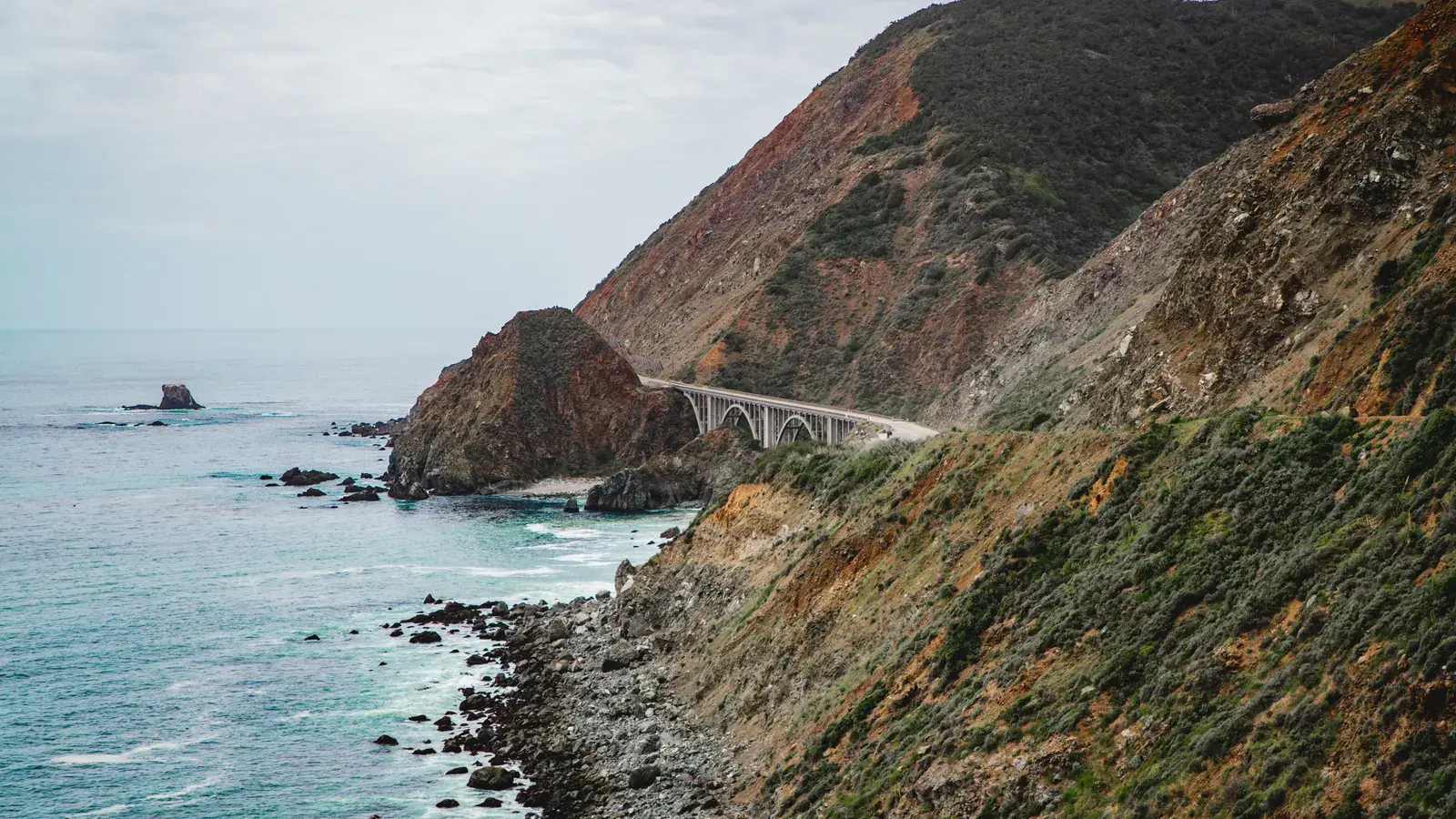
A California road trip Pacific Coast Highway style is one of the few drives that lives up to the hype. You get redwoods, cliffside turnouts, surf towns, and a city on each end, all connected by a highway that hugs the water for hundreds of miles. The catch is that “just drive the coast” is not a plan. Highway 1 narrows, closes for repairs, and detours inland in places, and the towns worth stopping in are not evenly spaced. A little structure up front saves you from a trip that’s all driving and no stopping.
How Long You Actually Need
The full coastal run from San Francisco to San Diego covers roughly 500 miles, but the driving time is misleading because so much of Highway 1 is slow by design. Curves, single-lane stretches, and scenic overlooks all eat into your average speed. Most people need 5 to 7 days to do it without feeling rushed, and 10 days or more if you want real time in Big Sur, Santa Barbara, and the smaller surf towns in between. Fewer than 5 days usually means picking one half of the coast instead of the whole thing.
Tip
Lock in any fixed plans, like a Big Sur hotel reservation, and let the rest of the day build around them.
The Route, Stop by Stop
Heading south from San Francisco, the natural rhythm looks something like this: a night in Monterey or Carmel to ease into the trip, a slow push through Big Sur where you’ll want extra time for pullouts and short hikes, a stop in San Luis Obispo or Pismo Beach to break up the drive, then Santa Barbara for a day of wine country and beach walking, and finally the run into Los Angeles or down to San Diego. Each of these towns can absorb more than a passing glance, which is exactly why rigid day-by-day guides tend to fall apart on the road.
Pacing the Drive Without Burning Out
The temptation on a coastal route is to chase every overlook and every “best view” list, which turns a relaxed trip into a marathon. A simple rule of thumb helps here: cap your driving hours, build in slower days where the scenery demands it, and don’t schedule back-to-back long legs. If you want a quick framework for balancing drive time against stops, the 3-3-3 rule for a road trip is a useful starting point before you fill in the specifics of Highway 1.
What a Day on the Coast Actually Costs
Fuel costs on this route are higher than a straight interstate drive because of the stop-and-go pace and the hills around Big Sur. Before you commit to a daily budget, it’s worth running the math on your specific vehicle and the current gas prices along the route rather than guessing. A walkthrough like how to calculate gas for road trip costs will get you a realistic number instead of a rough estimate that falls apart by day three.
Good to know
Journey Builder shows each day's sunrise, sunset, and weather forecast, useful for timing coastal overlooks at golden hour.
Choosing Where to Stay
Lodging along the coast swings between oceanfront motels, small inns in towns like Cambria, and bigger hotel clusters in Santa Barbara and Los Angeles. Booking early matters more here than on most routes, since weekend availability in Big Sur and Carmel disappears fast. Decide ahead of time whether you want one night per town or longer stays in a couple of anchor cities with day trips from there — the second approach cuts down on packing and unpacking, even if it means more driving some days.
Tools That Make the Planning Easier
A trip like this touches a lot of moving parts: route, stops, lodging, weather, and a budget that needs to flex as plans firm up. Juggling all of that across a handful of separate apps is exactly where road trip planning tends to break down, which is covered in more detail in how to plan the ultimate apps road trip. The short version: fewer tools, used well, beats a dozen tabs open at once.
Heads-up
Weekend lodging in Big Sur and Carmel books up fast, so reserve stays earlier than you think you need to.
Where Journey Builder Fits
This is the kind of trip Journey Builder is built for. It plans road trips anywhere in the United States and Canada, from a single weekend to 90 days, and it builds the route for you automatically — distance and drive time for every leg, plus alternative routes when Highway 1 forces a detour. It ranks the towns along your route and shows whether a stop like Big Sur or San Luis Obispo is right on your path or worth a detour, then suggests how many nights to spend at each one. Lock in anything fixed, like a Monterey hotel reservation or a wine tasting booking, and the auto-schedule builds the rest of each day around wake-up, bedtime, drives, and meals, usually in 1 to 3 minutes. It also shows each day’s sunrise, sunset, and weather forecast, which matters on a route where golden hour at the coast is half the reason you’re there.
Plan It Right From the Start
A California road trip Pacific Coast Highway run rewards planning more than most drives, simply because there’s too much good coastline to see all of it well without a plan. For a broader look at timing your trip around the busy season, see a practical plan for road trip season.
Journey Builder is opening up pre-registrations now. Sign up here to be ready to plan your Pacific Coast Highway trip the moment it’s your turn.
Plan your next road trip with Journey Builder
It works out the route, finds the stops worth making and lays out every day. Pre-register and we'll email you as soon as your account is ready.