Journey Builder
Road Trip from Dallas to Austin: Route, Stops, and How to Plan It
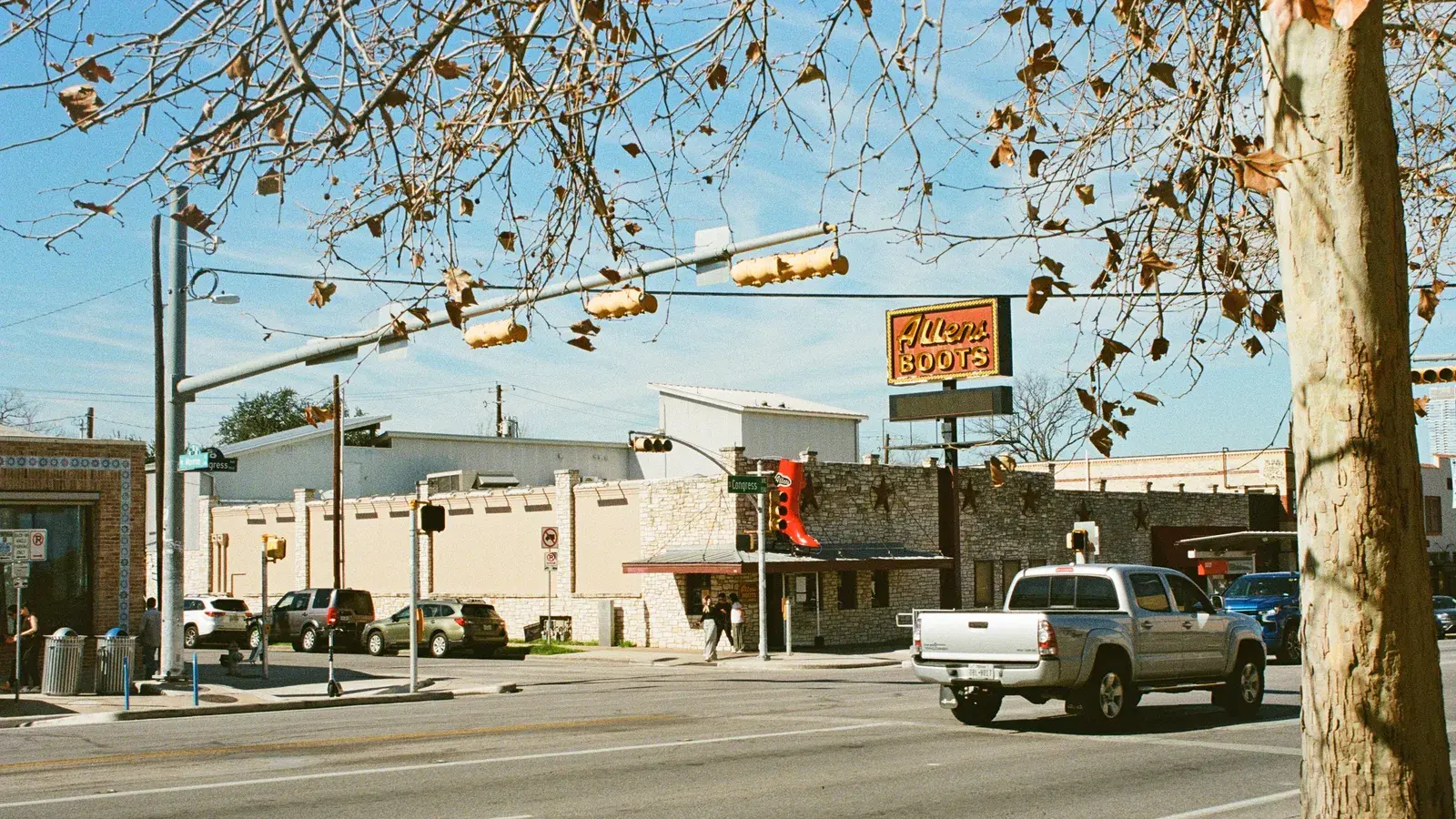
Photo by Thomas balabaud on Pexels
Planning a road trip from Dallas to Austin? Get the drive time, the best stops along I-35, and tips for building a day-by-day itinerary.
A road trip from Dallas to Austin covers about 322 km (200 mi) on the fastest route, roughly 3 hours and 10 minutes of driving without stops. That makes it an easy long weekend or a quick add-on to a bigger Texas loop, whether you’re leaving from downtown Dallas or the suburbs.
How Far Is Austin From Dallas?

The fastest way south is I-35, and it’s not close: a route that avoids highways runs 356 km (221 mi) and takes about 5 hours and 10 minutes, roughly 62% longer. Unless you have a specific reason to stay off the interstate, I-35 is the practical choice for this trip.
The drive, leg by leg
| Leg | Distance | Drive time |
|---|---|---|
| Dallas to Waxahachie | 31 mi / 49 km | 30 min |
| Waxahachie to Waco | 67 mi / 108 km | 1 h |
| Waco to Temple | 35 mi / 56 km | 35 min |
| Temple to Georgetown | 40 mi / 65 km | 35 min |
| Georgetown to Austin | 28 mi / 44 km | 30 min |
| Total | 201 mi / 322 km | 3 h 10 min |
Drive times without stops or traffic, to the nearest 5 minutes. Routing by Geoapify · map data © OpenStreetMap contributors.
The Route: I-35 South
The drive breaks into five natural legs, each a good excuse to stretch your legs or grab a coffee:
- Dallas to Waxahachie: 49 km / 31 mi, about 30 minutes
- Waxahachie to Waco: 108 km / 67 mi, about 1 hour
- Waco to Temple: 56 km / 35 mi, about 35 minutes
- Temple to Georgetown: 65 km / 40 mi, about 35 minutes
- Georgetown to Austin: 44 km / 28 mi, about 30 minutes
None of these legs are long, which is part of what makes this route forgiving. You can knock it out in one sitting or spread it across a full day of stops without falling behind schedule.
Worthwhile Stops Along the Way
Waxahachie sits just south of the metro area and is known for its historic downtown square and Victorian-era architecture, an easy first stop if you want to ease out of city traffic before settling into highway driving.
Waco, roughly the midpoint of the trip, has grown into a popular stop thanks to its riverside downtown, Baylor University, and a well-known home-and-garden brand that draws visitors from well outside Texas. It’s a natural place to break for lunch or an extended browse.
Temple is a smaller stop, more of a practical break than a destination, though its historic rail-era downtown is worth a short walk if you have the time.
Georgetown, just north of Austin, is known for its restored courthouse square and Victorian storefronts, a pleasant last stop before you hit Austin traffic.
Before You Leave Dallas

Dallas itself is worth a day or two before you go. It’s a sprawling Texas metropolis where barbecue joints and nationally recognized restaurants sit alongside the Sixth Floor Museum and the Arts District, with Deep Ellum’s live-music scene and the Bishop Arts neighborhood offering a grittier, more local feel away from downtown’s skyline. It’s a good fit for foodies, history buffs, families, and anyone building a weekend getaway, and most visitors spend two to four days here before moving on.
Choosing Your Pace and Timing
Because the drive itself is short, the real planning question is how many stops to build in and how much time each one deserves. If you’re weighing how much ground to cover on a single day versus spreading things out, it’s worth reading up on the 3-3-3 rule for road trips as a starting framework, then adjusting for your own pace. For a broader look at getting a trip organized before you leave, a practical plan for road trip season covers the basics that apply to any drive, not just this one.
Good to know
Journey Builder won't schedule a visit or meal at a place known to be closed.
Tip
Lock in fixed plans like reservations first, and let the rest of the schedule build around them.
Picking a Tool to Plan It
Most people planning a Dallas-to-Austin trip end up comparing a mapping app, a spreadsheet, and maybe a dedicated trip planner. Journey Builder is one option built specifically for this: it takes a vague idea and turns it into a trip you can actually take, with a route built automatically, drive times for every leg, and stop suggestions ranked by how far off your route they sit. You can pick your roads (fastest or fewer highways), add stops from top picks, a map, or an AI chat grounded in your trip, and let the auto-scheduler build a day-by-day plan around your wake-up time, bedtime, meals, and any fixed reservations, usually in one to three minutes. For a short trip like this one, that means less time comparing routes and more time deciding whether to stop in Waco or push straight through. If you’re weighing planning apps more broadly, this guide to building an apps road trip walks through the landscape.
After Austin: Keep Going
If Austin isn’t your final stop, it makes a solid jumping-off point for a longer trip. A road trip from Austin to New Orleans is a natural next leg if you want to keep the drive going east.
Plan Your Trip
A Dallas-to-Austin drive is short enough to wing, but a little planning turns it into a better trip: the right stop in Waco, a lunch break in Waxahachie, and a schedule that doesn’t leave you rushing into Austin after dark. Pre-register with Journey Builder to get your next road trip planned right.
Plan your next road trip with Journey Builder
It works out the route, finds the stops worth making and lays out every day. Pre-register and we'll email you as soon as your account is ready.